BillCanvas
USUnited States

Home/Templates/Excel

Templates · Excel

Free expense report template for Excel

Group travel, meals, materials and software, and let the SUMIF formulas total each category and the reimbursement.

Expense report (.xlsx)

US Letter · 16 rows · category dropdown · SUMIF subtotals

Excel 2016+ / Microsoft 365 / LibreOffice / Google Sheets. No macros.

What the workbook includes

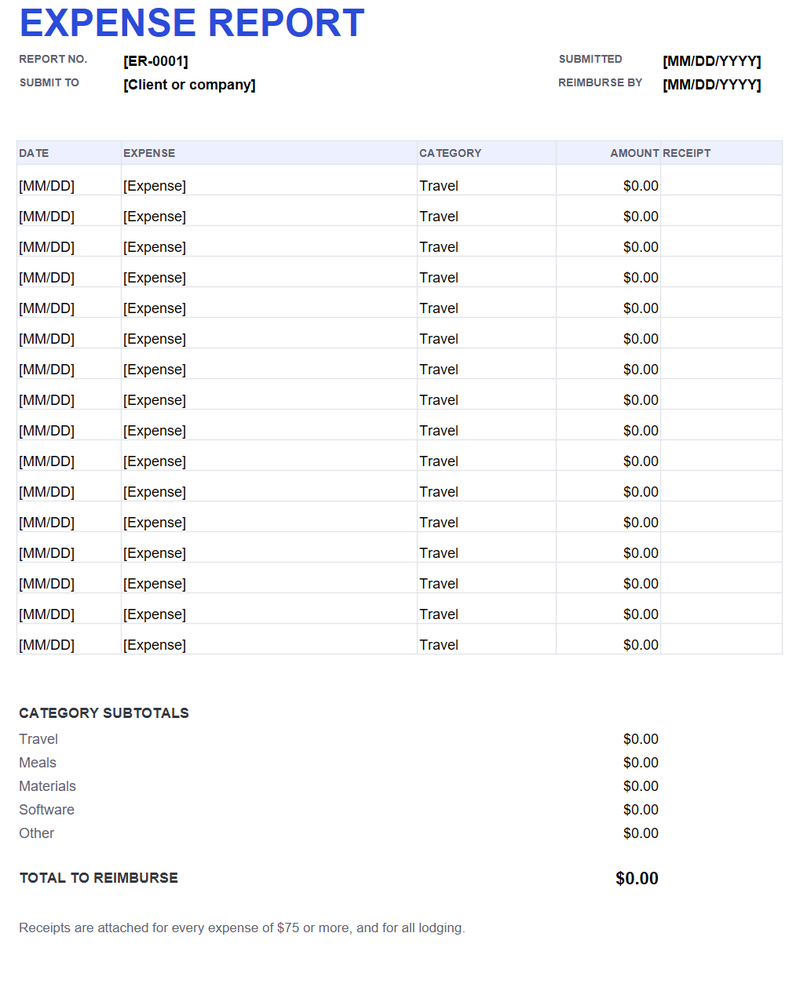
  • Report number, submitted date and reimburse-by date
  • Sixteen rows of date, expense, category, amount and receipt note
  • Category dropdown: Travel, Meals, Materials, Software, Other
  • SUMIF subtotals for each category and a total to reimburse
  • A receipts note at the bottom
Free expense report template for Excel preview
Expense report (.xlsx) · Excel · open full size

How the category subtotals work

The category column uses a dropdown. The subtotal block uses SUMIF to add the amounts for each category, so the numbers update as you change a category or an amount. The total to reimburse adds the five subtotals.

What to put in each row

Date, a short description, the category and the amount. Put the receipt note in the last column if you need to track which receipts are attached. Keep the description specific enough that someone else could approve it.

Receipts and the $75 habit

Many businesses require receipts for anything over $75, and for all lodging and airfare. Attach them to the PDF export or keep them in the same folder as the report. A report without support is the one that gets sent back.

Print or save as PDF

The print area is US Letter, portrait, one page wide. Save as PDF and attach the receipts. If the client uses a different chart of accounts, change the category list in the dropdown and the subtotal labels together.

FAQ

Do the subtotals update automatically?

Yes. The category subtotals use SUMIF against the category column, and the total adds the five subtotals.

Can I change the categories?

Yes. Update the dropdown list and the subtotal labels together so the SUMIF formulas still point at the right category names.

Do I need receipts for every expense?

Follow the client or company policy. A common rule is receipts over $75, plus all lodging and airfare.

Does it work in Google Sheets?

Yes. The dropdown and SUMIF formulas carry over; check the print area after import.

Related templates

All templates →