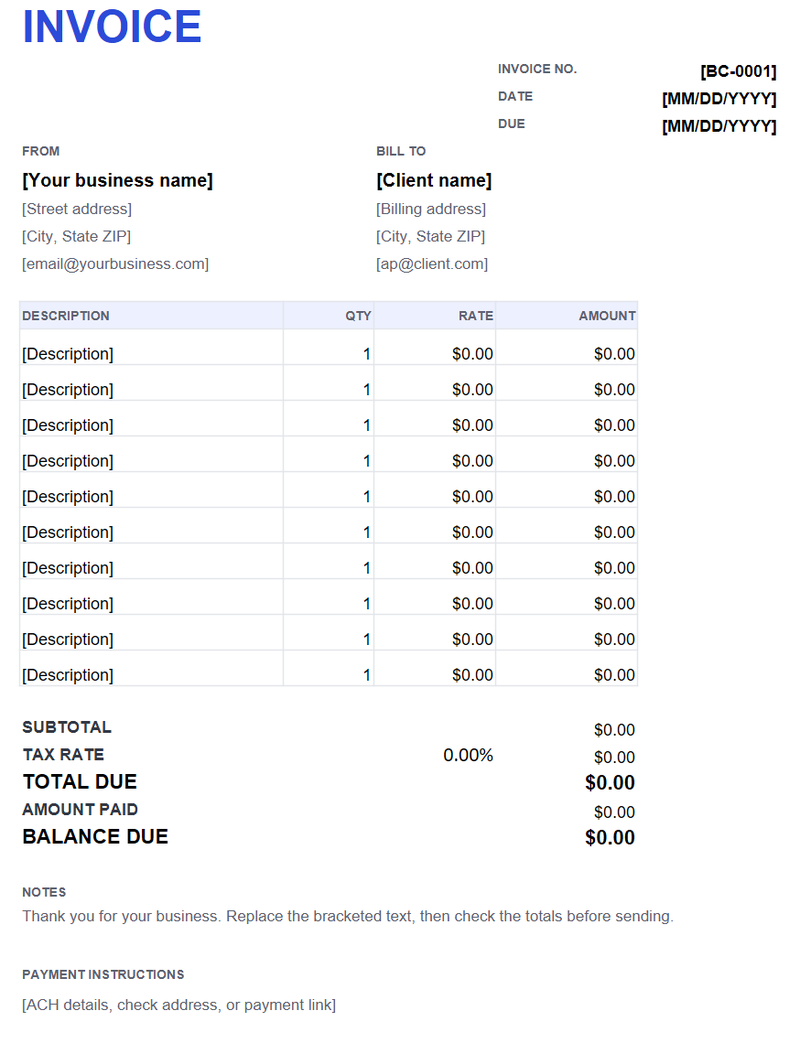
How to import it into Google Sheets
- Download the .xlsx file.
- In Google Drive, choose New → File upload, then upload the workbook.
- Right-click the file and choose Open with → Google Sheets.
- Enter the quantities, rates and tax rate; the formulas recalculate.
- Choose File → Download → PDF or Print, and check the print area.
What carries over
The formulas, number formats and most styling carry over. Google Sheets may adjust column widths and the print area; check File → Print and set the paper to Letter, portrait, fit to width.
Adding rows
Insert a row above the last line item so the SUM range expands, or extend the subtotal formula to the new row. Do not type over the amount or total formulas unless you intend to replace them.
Sharing
For approval, share the sheet with “Commenter” access or send a PDF export. If you share edit access, the client can change the numbers. Save the final PDF for your records.